General
Note Format
While you can format your notes however way you like, we recommend that you experiment and find a style that works for you. Using a good convention will help organize your notes and make them easier to search. We recommend the following approach or GTD.
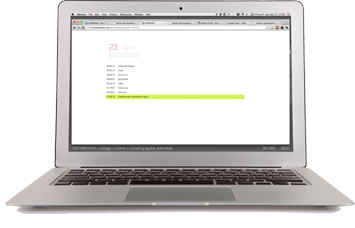
Here's a practical example:
Developers
Command Line Usage
The API is pretty simple. You can add new tasks (via a cURL POST) from the terminal using a simple bash wrapper. You can also retrieve your current task and time via a cURL GET method. Below is a link to some simple bash scripts to help with automated Git/SVN commit messages.
Ruby Gem
The easiest way to interact with TimeStream from the command line is to simply use the Ruby gem. You can install it with:
Check out the documentation on GitHub or watch the screencast below.
Bash Wrappers
Below is a link to some helpful bash wrapper functions to make it easier to include your current task in your commit messages.
Biz Dev Folks & Managers
Capturing Notes
One of the nice things about TimeStream is that you can also use it to capture quick notes on the fly. Here are some examples.
Recommended Apps*
Mac Desktop Application
Recommended for most users. The Mac desktop application is the simplest way to add entries to TimeStream.
GeekTool
We highly recommend using GeekTool (and it's Windows/Linux analogs) for displaying your current task on your desktop. This is a gentle reminder to show what you are working on (or should be working on). It's a very cool piece of software and it's free! Below is the line of code you would use with GeekTool to show your current task.
Quicksilver
Quicksilver is one of those tools we can't live without. If you're a hardcore QS user, you'll appreciate our TimeStream plugin.
LaunchBar
All the cool kids are using LaunchBar these days. If you're one of them, check out the TimeStream plugin for LaunchBar.
TextExpander
TextExpander (and it's ilk) are great timesavers. Below is a quick tutorial on how to set up a TextExpander alias to dynamically paste your current task anywhere.
SizeUp
SizeUp is a really nice tool to help you organize your desktop windows. It works really well with GeekTool.
* We're not affiliated with any of the software mentioned above (except for the Mac desktop app); we're just fans and they help you be productive and organized.
